Just Read The Instructions
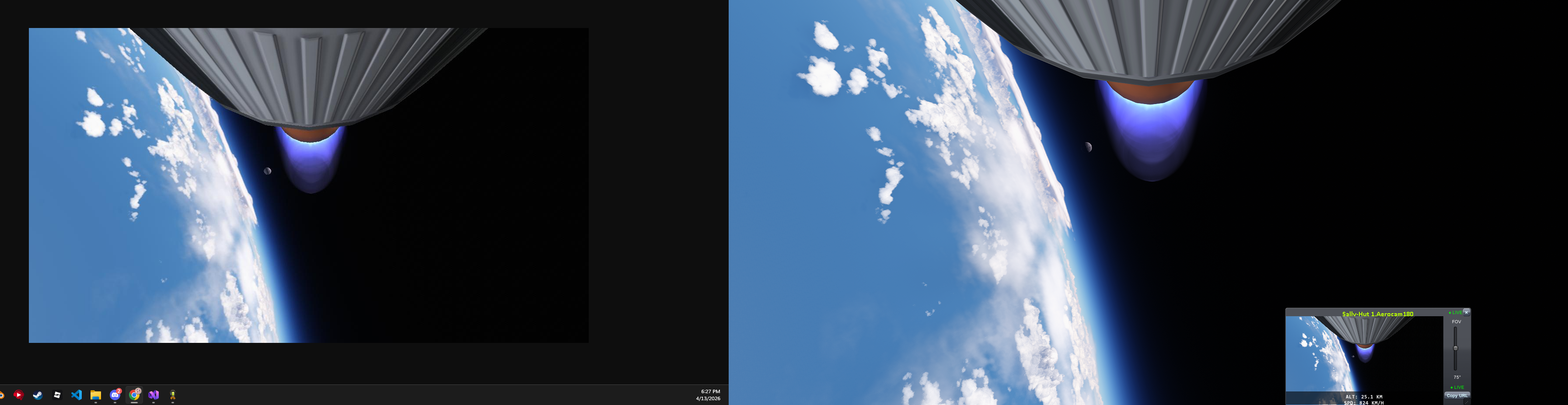
JRTI is a mod for Kerbal Space Program that shows your Hullcam VDS camera feeds in a web browser, in the spirit of OfCourseIStillLoveYou. It runs entirely inside the game: no extra program, no setup beyond the mod and HullcamVDS-Continued.
Quick start
- Install JRTI and HullcamVDS-Continued.
- Fly a craft that has a Hullcam VDS camera.
- Open
http://localhost:8080/in a browser, on the KSP computer or any device on your network.
Press Ctrl + Alt + F7 in flight for JRTI's window inside the game.
What it does
- Web viewer - camera feeds in any browser, with brightness, contrast, gamma and field of view adjusted per camera. Cameras
- Layouts (work in progress) - several cameras in one window (grid, spotlight, edge to edge split screens), saved in the game so every device and OBS source shows the same thing. Layouts and OBS
- Live switching (work in progress) - a clean feed for OBS that follows whichever saved layout is on air, switched from the browser, hotkeys or a Stream Deck. Layouts and OBS
- Pan and tracking - turn the TurretCam and LaunchCam from the browser, or let them follow the active vessel or your target. Cameras
- Camera sound - hear the game from each camera's position, in the browser, on the clean feed and in recordings. Sound
- In-game recording - MP4 files made with the graphics card's encoder, played or downloaded from the web UI. Recording
- Raw MJPEG feeds - one URL per camera for OBS or other tools. Cameras
- Stable IDs - name cameras and give them a numeric ID from the part's right-click menu in the editor, so the stream URL never changes. Cameras
Status
JRTI is stable and feature-complete. Updates now arrive at a slower pace: quality-of-life tweaks, good community suggestions, and fixes. Bug reports, suggestions and pull requests are welcome on GitHub.
JRTI is the spiritual successor to OfCourseIStillLoveYou.